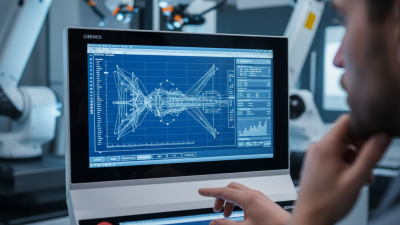
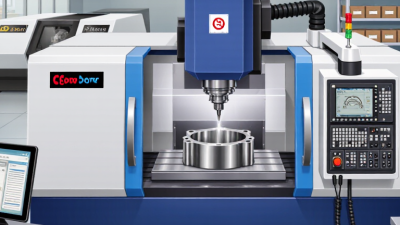
Choosing the right cnc programming software can shape production speed, accuracy, and long-term operating costs. For global buyers, the decision reaches beyond a feature list. It includes machine compatibility, post-processor quality, training support, data security, and regional service availability. A tool that performs well on a five-axis aerospace part may feel excessive for a small workshop producing brackets and shafts.
This 2026 guide examines leading CNC programming platforms through practical purchasing criteria. We consider CAD/CAM integration, simulation depth, toolpath reliability, automation, cloud functions, and support for different machine controllers. Real shop-floor details matter. A clear collision warning, a stable post processor, and a readable setup sheet can prevent costly mistakes before metal reaches the spindle. Vendor documentation, customer feedback, trial access, and transparent licensing also deserve careful review. Low entry pricing can hide maintenance fees or limited machine support.
There is no universal winner. Not really. Buyers should test software with representative parts, including tight tolerances, complex surfaces, and difficult tool access. They should also confirm compliance with applicable export controls, privacy rules, cybersecurity expectations, and local procurement requirements. These checks vary by country and industry. Some evaluations may remain imperfect because vendor claims are difficult to compare directly. That uncertainty deserves attention, not polished marketing language. With measured testing and experienced review, global manufacturers can select software that supports dependable CNC production in 2026 and beyond.
CNC programming software converts a digital part design into precise machine instructions. It creates toolpaths, selects cutting movements, and prepares code for different machine configurations. In practical workshop use, this reduces manual calculation and helps programmers avoid repeated entry errors. The software also checks cutting depth, tool clearance, spindle speed, and feed rate. Small mistakes matter.
In 2026, reliable software must do more than generate code. It should simulate machining with realistic machine kinematics, detect collisions, and support accurate post-processing. This helps global buyers compare solutions beyond attractive interfaces. A strong system also records tool data, revision history, and inspection details. These records improve communication between designers, programmers, operators, and quality teams. However, simulation is not perfect. Real tool wear, vibration, material variation, and operator judgment can still change results. I have seen carefully prepared programs require adjustment at the machine. That limitation deserves honest attention.
Tips: Test software with your own parts before purchase. Use a sample containing deep pockets, thin walls, and multiple setups. Check whether the generated code matches your controller and shop standards. Ask for training, technical support, and update policies. Measure cycle time carefully. Faster is not always better; stable cutting often protects tools and improves final accuracy. A short trial can reveal more than a polished demonstration.
When comparing CNC programming software, test real machine behavior rather than attractive dashboards. Deloitte’s 2024 Smart Manufacturing and Operations Survey found that 86% of manufacturing leaders expect smart manufacturing to become a major competitiveness driver within five years. That pressure makes reliable toolpath generation essential. Check whether the software supports your machine’s kinematics, five-axis motion, probing cycles, and postprocessors. A small postprocessor error can damage an expensive spindle or scrap a complex part.
Simulation quality deserves close attention. Look for material removal verification, collision detection, holder checking, and accurate machine models. Test a sample part with deep pockets, thin walls, and awkward fixturing. Also compare support for STEP, IGES, native CAD files, APIs, and shop-floor data exchange. Cloud access may improve collaboration, but offline capability remains important when internet access fails. That detail is easy to overlook.
Training and cybersecurity matter too. The World Economic Forum’s Future of Jobs Report 2023 estimated that 44% of workers’ core skills could change within five years. Clear interfaces, guided setup, and searchable documentation can reduce that learning burden. Review access controls, audit trails, encryption, and update policies against recognized cybersecurity practices. Cost should include licenses, training, postprocessor development, verification, and downtime. My imperfect view: the fastest demo is rarely the safest choice. A slower evaluation with your own machines reveals more.
| Evaluation Dimension | What the Software Should Support | Key Features and Technical Checks | Recommended Priority | Practical Verification Method |
|---|---|---|---|---|
| Supported CNC Processes | Programming for the machine types used in the buyer’s production environment. | Confirm support for 2.5D milling, 3-axis milling, turning, drilling, wire EDM, 4-axis or 5-axis machining, and mill-turn operations where required. | Critical | Run sample parts for every required machine type before purchase. |
| 3-Axis Milling Capability | Reliable programming for prismatic and contoured components. | Check 2D profiles, pocketing, facing, drilling cycles, adaptive roughing, rest machining, finishing passes, and automatic toolpath linking. | Critical | Compare cycle time, surface finish, and remaining stock on a representative part. |
| 4-Axis and 5-Axis Programming | Multi-axis toolpath generation for complex surfaces and fewer setups. | Look for simultaneous and positional machining, tool-axis control, lead and lean settings, collision avoidance, singularity handling, and rotary-axis limits. | Critical | Test a complex impeller, mold, aerospace, or medical-style geometry using the intended machine kinematics. |
| Turning and Mill-Turn Support | Programming for lathes and combined milling-turning centers. | Verify roughing, finishing, threading, grooving, live tooling, sub-spindle operations, synchronization, part transfer, and multiple-channel planning. | High | Simulate the complete sequence, including tool changes, spindle synchronization, and part transfer. |
| Postprocessor Quality | Accurate conversion of toolpaths into machine-specific NC programs. | Check support for machine kinematics, controller syntax, canned cycles, coordinate systems, tool-change logic, safety blocks, and customized output rules. | Critical | Prove the output on a machine simulator or controlled first-article run before production. |
| NC Program Standards | Compatibility with commonly used numerical-control data formats. | Confirm support for ISO 6983 or RS-274 style G-code output and, where needed, data exchange through STEP, IGES, DXF, or native CAD formats. | Critical | Import and export files from the buyer’s existing CAD/CAM and shop-floor systems. |
| Machine Simulation | Verification of the complete machine motion before cutting material. | Check realistic machine models, fixtures, stocks, tools, holders, workholding, axis travel, spindle limits, overtravel detection, and collision checking. | Critical | Test known failure cases such as holder collisions, axis overtravel, and fixture interference. |
| Toolpath Reliability | Stable cutting motion that reduces rework and unexpected machine behavior. | Evaluate gouge prevention, smooth linking, arc fitting, corner control, feed-rate optimization, tolerance settings, and avoidance of unnecessary rapid moves. | Critical | Compare tool marks, air-cutting time, cycle time, and tool wear on the same part. |
| CAD Model Compatibility | Reliable handling of common engineering and manufacturing geometry. | Check import quality for STEP, IGES, Parasolid, STL, DXF, and native CAD data, including assemblies, solids, surfaces, meshes, and revision changes. | Critical | Import production files containing complex surfaces, large assemblies, and mixed solid-surface geometry. |
| Automation and Templates | Repeatable programming for families of similar parts. | Look for feature recognition, machining templates, rule-based automation, parameterized operations, macros, batch processing, and automatic documentation. | High | Measure programming time for a repeat order and compare it with a fully manual workflow. |
| Tool and Cutting-Data Management | Consistent use of tools, holders, cutting conditions, and tool assemblies. | Verify tool libraries, holder models, material-based cutting data, feeds and speeds, tool-life records, and synchronization with shop-floor tool management. | High | Check whether the software can generate tool lists and cutting data from the approved database. |
| Postprocessor Customization | Ability to adapt output to different machines and controller configurations. | Assess whether authorized users can modify formatting, sequence numbers, variables, cycles, probing routines, subprograms, and machine-specific safety codes. | High | Request a controlled change to the NC output and verify regression testing procedures. |
| Data Management and Revision Control | Traceable management of parts, programs, tools, and revisions. | Look for file versioning, permissions, approval workflows, audit trails, backup options, project structures, and links between CAD revisions and NC programs. | High | Change a CAD revision and verify that related toolpaths and released programs remain traceable. |
| Shop-Floor Connectivity | Efficient transfer of approved programs to machines and production systems. | Check support for secure file transfer, DNC or network delivery, machine communication protocols, program status tracking, and paperless setup documentation. | High | Test program transfer, access control, file confirmation, and recovery from an interrupted connection. |
| Postprocessor and Machine Coverage | Suitability for a geographically distributed or mixed-machine production network. | Review the number of required machine configurations, controller families, rotary-axis arrangements, metric/inch settings, and regional machine variations. | Critical | Prepare a machine matrix and confirm that each production machine has a validated output path. |
| Localization and Global Deployment | Usability across international engineering and manufacturing teams. | Compare interface languages, unit systems, date and number formats, technical documentation, time-zone support, remote assistance, and regional training availability. | High | Ask users in each target region to complete the same programming task independently. |
| Training Requirements | Time and resources needed to reach productive operation. | Evaluate learning materials, sample projects, guided workflows, certification, instructor-led training, onboarding plans, and support for experienced CNC programmers. | High | Record the hours required for a qualified programmer to complete a standard test part. |
| Scalability | Ability to support growing numbers of users, machines, sites, and projects. | Review multi-user licensing, centralized libraries, cloud or server deployment, offline work, concurrent access, site management, and performance with large assemblies. | High | Run a pilot with multiple users and a representative project library before global rollout. |
| System Integration | Connection with existing engineering, manufacturing, and business software. | Check APIs, file-based integration, PLM or PDM connectivity, ERP or MES links, tooling databases, inspection workflows, and automated reporting. | High | Map the current data flow and test each required handoff using production-like files. |
| Security and Access Control | Protection of intellectual property and production programs. | Evaluate user roles, authentication, encryption in transit and at rest, audit logs, backup policies, data residency, and controls for remote access. | Critical | Review the security architecture and test permissions for engineering, programming, and shop-floor users. |
| Commercial Model | Predictable total cost for the intended deployment period. | Compare perpetual licensing, subscription terms, maintenance, postprocessor fees, training, implementation, cloud storage, upgrades, and additional-user costs. | Critical | Calculate a three-year total cost of ownership using the planned number of users and machines. |
| Technical Support | Fast resolution of postprocessor, simulation, and production issues. | Check response-time commitments, escalation procedures, support hours, knowledge bases, remote diagnostics, regional coverage, and postprocessor maintenance. | Critical | Submit realistic technical questions and measure response quality and resolution time. |
| Return on Investment | Measurable improvement in production efficiency and process control. | Track programming hours, setup reduction, cycle time, scrap, rework, tool life, machine utilization, and the number of repeatable processes. | Critical | Compare baseline and pilot results using the same parts, machines, operators, and measurement period. |

Buyer note: The most suitable CNC programming software should be selected through a machine-specific pilot using representative CAD files, validated postprocessors, complete simulation, and a documented total-cost comparison.
Top CNC Programming Software Options for Global Buyers
Global CNC buyers need more than attractive interfaces. The right software should support accurate toolpaths, clear simulation, and dependable postprocessing for different machines. In shop trials, I would test a sample aluminum part with pockets, holes, and a curved surface. Watch the cutter motion closely. A small collision warning can reveal a serious workflow problem.
For many workshops, integrated CAD/CAM software is practical because design changes move directly into programming. Three-axis machining is usually easier to learn, while five-axis work demands stronger collision checking and machine kinematics. Buyers should also examine file compatibility, metric and imperial units, multilingual documentation, and offline licensing. These details matter when teams work across several countries or have unstable internet access.
A reliable option should generate readable G-code through a properly configured postprocessor. Never assume the default setting fits every controller. Ask for a verified postprocessor and test it on a controlled machine run. Cloud-based systems can simplify collaboration, but local installations may provide better access during network outages. Technical support also deserves scrutiny: response time, training quality, and regional availability can affect production more than the purchase price. I would request a trial using real shop data, not only a polished demonstration. One weakness may remain. Even experienced programmers can miss an unsafe rapid move when deadlines become tight.
This procurement benchmark uses a 100-point evaluation model for global CNC software buyers. Manufacturing capability and post-processor reliability receive the highest weighting, while simulation, interoperability, usability, and deployment flexibility address common international purchasing requirements. The scores are evaluation weights, not market-share figures.
Global buyers should evaluate CNC programming software beyond its feature list. Compatibility begins with the machine controller, post-processor, CAD formats, and shop-floor network. Test a real component, not a polished demo. Check metric and imperial units, five-axis motion, tooling libraries, and offline verification. A single post-processor error can create scrap, delay production, or damage equipment.
Support quality often determines the practical value of software. Ask whether engineers provide local-language assistance, weekend coverage, documented response times, and remote training. Deloitte’s 2024 Smart Manufacturing Survey found that 86% of manufacturers view smart manufacturing as important for competitiveness. That investment needs capable people, not only licenses. The World Economic Forum’s Future of Jobs Report 2025 also estimates that 39% of workers’ core skills may change by 2030. Training costs deserve a visible line in the budget.
Total ownership cost includes subscriptions, updates, post-processor customization, integrations, hardware, cybersecurity, migration, and downtime. Compare three years, not one invoice. Measure programming hours before and after a controlled trial. Record revision mistakes and simulation failures. My evaluation habit is imperfect; I sometimes overvalue impressive simulation graphics. Operators may value faster editing more. Require a written exit plan, exportable data, and support commitments. A cheaper license can become expensive when expertise leaves the shop.
Choosing CNC programming software in 2026 requires more than comparing feature lists. Match the system to your machine first. A three-axis mill needs different controls than a five-axis machining center. Turning equipment also requires reliable toolpath support for grooves, threads, and live tooling. Check post-processor accuracy with your exact controller. A small output error can damage a part or waste a full shift.
Industry demands should shape the evaluation. Aerospace work may require traceability, collision checking, and detailed simulation. Job shops often value fast setup and flexible template libraries. Medical production may need strict revision control and repeatable documentation. Ask for a sample test using a real part file. Review cycle time, tool movement, and setup instructions. Screenshots are not enough.
Skill level matters just as much. Beginners need clear menus, guided workflows, and useful training materials. Experienced programmers may prefer deeper automation and editable parameters. Shop managers should examine licensing, updates, data security, and technical support across regions. A local language option can reduce mistakes. Short trials reveal more than sales demonstrations. No scorecard is perfect. A weakness may appear after installation, especially when older machines or unusual tooling enter the process. Recheck your assumptions before signing a long contract.