Skip to content

How to Choose the Best Heat Transfer Film Printer in 2026

Choosing a Heat Transfer Film Printer in 2026 is less about chasing the newest model and more about matching equipment to daily production. Print volume, artwork detail, film width, and workspace all shape that decision. A shop making ten custom shirts a day needs different capacity from a team running repeat orders by the roll. Small details matter. Check supported film types, ink compatibility, curing requirements, and whether powder application needs separate equipment. The product label can cover different workflows, so confirm exactly what process the printer supports. These specifications affect output, labor, and the space around the press. Not every product page explains them clearly.

Reliable comparisons look beyond advertised speed. Ask how long a real job takes, from file setup to a finished transfer, rather than relying only on a test pattern. Inspect sample prints for fine text, solid color, and clean edges after pressing. A 24-inch roll may suit garment runs, while compact sheet handling can fit a small customization bench. Also consider software support, operator training, routine cleaning, and calibration. These needs are easy to overlook. Request current service terms and consumable costs, then verify them with the supplier. If possible, test your own artwork and fabric; a showroom sample may not reveal every issue. Some trade-offs remain. A lower purchase price may bring slower output or more hands-on adjustment, while a faster system may exceed a small shop’s needs. This guide outlines practical ways to compare a Heat Transfer Film Printer in 2026, while recognizing that your materials and workload should have the final say.
How to Choose the Best Heat Transfer Film Printer in 2026

Understand How Heat Transfer Film Printers Work

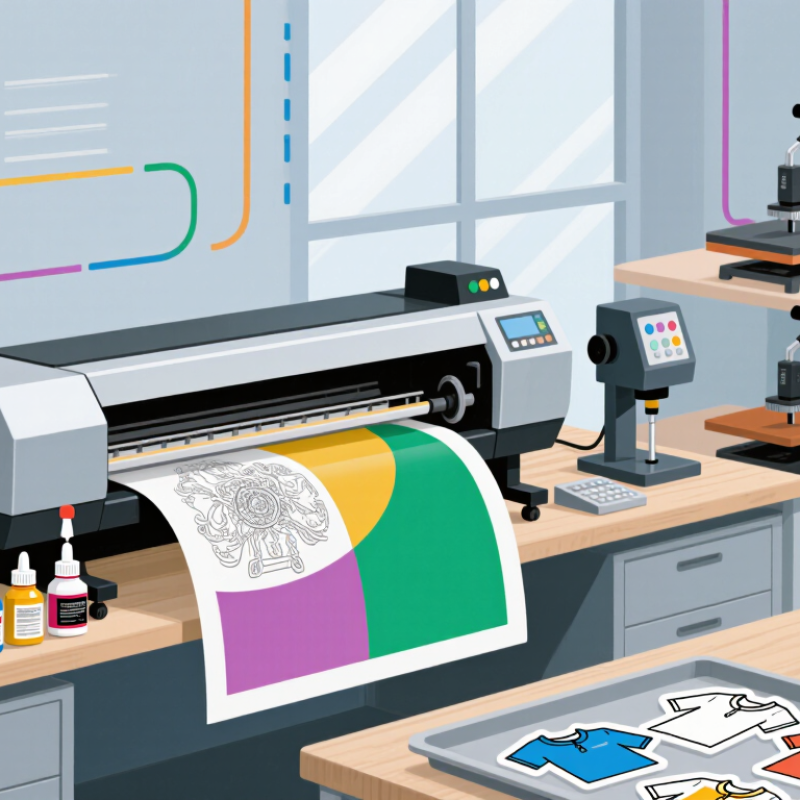
A heat transfer film printer builds an image in layers rather than placing color directly on fabric. A digital file is processed by RIP software, which controls color, white ink, and print order. The printer lays the design onto a clear PET film. For dark fabrics, a white underbase helps the colors remain visible.

That white layer matters. While the ink is still wet, adhesive powder is applied to the printed areas. The film then passes through a curing unit, where heat bonds the powder to the ink. After curing, the design is positioned on fabric and transferred with a heat press. Pressure, temperature, and dwell time all affect the result. Follow the film and ink supplier’s settings, then test on the actual fabric.

In practice, the neat diagrams hide small variables. Humidity can affect ink behavior, and a partially blocked nozzle may leave thin gaps in a solid color. Not quite plug-and-play. Check nozzle output, keep the film flat, and inspect whether powder covers the printed design evenly. When comparing printers, look for stable white-ink circulation, consistent film feeding, and controls that make curing and color settings repeatable. A sample transfer is useful evidence; a fast print speed alone is not. Even experienced operators may need to adjust settings for a new fabric, so leave room for testing.

Define Your Production Needs and Film Compatibility

Before comparing printers, map your actual work: weekly transfer count, artwork size, fabric types, and peak-season deadlines. Small runs matter. McKinsey’s The State of Fashion 2024 projected 2–4% growth for the global fashion industry in 2024, a modest forecast that reinforces the value of planning for changing order volumes rather than buying only for peak capacity. The figure describes fashion, not heat-transfer printing specifically, so use it as market context.

Check film compatibility against the complete workflow, not just the printer’s media list. Confirm the film’s coating suits your ink system, and verify its release behavior, adhesive activation temperature, and recommended peel method. Then match those requirements to your heat press and substrates. A cotton T-shirt and a stretch polyester panel may need different settings. Keep a sample log. Record temperature, pressure, dwell time, and wash results.

Test before scaling. Print a small batch on the exact film and garment you plan to sell. Look for curled edges, dull colors, uneven adhesive, or cracks after washing. Ask suppliers for technical data sheets, but verify claims on your own equipment. Specifications can be incomplete, and a perfect first test is not proof of durable production. It is easy to overlook that.

How to Choose the Best Heat Transfer Film Printer in 2026 - Define Your Production Needs and Film Compatibility
Decision Factor Production Need Printer and Film Fit What to Verify Before Buying
Order volume Occasional jobs, samples, or short runs with frequent design changes A compact direct-to-film (DTF) setup may suit small batches. DTF prints onto coated PET film and typically uses textile pigment inks and hot-melt adhesive powder. Check the recommended daily workload, maintenance routine, included software, and whether powder application and curing are manual or automated.
Steady, repeat production Recurring garment orders with consistent artwork and predictable schedules A wider DTF system with a controlled film-feed path and a matched curing workflow can reduce handling between printing and pressing. Ask for demonstrated throughput using your artwork and film. Confirm whether quoted speed includes white ink, curing, routine cleaning, and loading time.
Large-format graphics Oversized transfers, long runs, or designs that need a wider print area Choose a printer whose supported media width accommodates the finished artwork, margins, and any multi-up layout. DTF roll film and solvent-printable transfer media are not interchangeable. Compare usable print width—not just maximum media width—and check roll diameter, core size, feed accuracy, and space for curing equipment.
Full-color designs on dark garments Artwork requiring opaque color on black or other dark fabrics DTF systems commonly use a white-ink layer beneath color artwork. The transfer film, ink set, powder, and curing profile must be designed to work together. Print and press a test on the intended fabric. Review white-ink circulation and maintenance requirements, and confirm the transfer follows the film supplier’s instructions.
Cut lettering and spot-color graphics Names, numbers, simple logos, or graphics that need cut contours A print-and-cut workflow may suit solvent-printable heat-transfer media, while unprinted heat-transfer vinyl is generally cut rather than printed. Film coatings must be specified for the printer’s ink chemistry. Verify ink and media compatibility, contour-cut accuracy, weeding requirements, and the correct application temperature, pressure, and dwell time.
Film compatibility Reliable feeding, ink adhesion, release, and transfer results Match the printer to the media’s coating and intended process: DTF PET film for DTF ink workflows, or specifically coated media for the relevant solvent or other supported ink system. Obtain a written list of supported media types, thicknesses, finishes, and storage conditions. Test release and wash performance using the complete production process.
Artwork detail and color consistency Fine text, gradients, repeat colors, or customer-approved proofs Print resolution, print modes, ink limits, RIP settings, and media profiles all affect the finished result; the highest stated resolution alone does not determine production quality. Request sample transfers with your files. Check small text, gradients, registration, and repeatability across multiple prints on the actual film.
Finishing and workspace A safe, consistent workflow from printed film to finished garment DTF production generally requires adhesive powder application, curing, and a heat press. Other transfer media may require different cutting, peeling, or pressing steps. Plan for the full equipment footprint, ventilation and workplace safety needs, electrical requirements, consumable storage, and operator training.
Total cost of ownership Predictable costs per usable transfer, not just a low purchase price Include printer, ink, film, powder or other consumables, curing, pressing, maintenance, rejected prints, and labor in the production-cost estimate. Request consumable usage estimates for representative artwork and clarify warranty coverage, service availability, replacement-part costs, and maintenance intervals.

Compare Print Quality, Speed, and Running Costs

A printer’s advertised resolution tells only part of the story. Examine small text, curved edges, and solid color areas on an actual transfer. Look for clean outlines, even white underbase coverage, and consistent color across repeated prints. Fine lines matter. Ask for a sample on the film and fabric you plan to use; settings that look good on one material may not transfer equally well to another.

Speed should mean finished, wearable output, not just printhead movement. Include file preparation, printing, powder application, curing, and any reprints when comparing machines. A fast print can still slow production if drying or color consistency becomes a bottleneck. A rushed demonstration may hide this. Time a typical job, then check whether quality holds through a longer run.

Running costs include more than ink. Add film, powder, cleaning supplies, replacement parts, energy, and spoiled transfers to the estimate. Ink use can vary with artwork coverage and white layers, so compare realistic jobs rather than a simple test image. Track waste for a few weeks if possible. Cheap per-print estimates can be misleading. A little extra maintenance time is easy to overlook, and it can disrupt a busy day.

How to Choose the Best Heat Transfer Film Printer in 2026

Compare representative print speed and consumables cost by printer class. Print quality also depends on resolution, ink, film, powder, and curing settings.

Illustrative planning estimates, not standardized test results: actual speed and cost vary with artwork coverage, print settings, materials, maintenance, and workflow. Compare sample prints at the same settings before choosing; a higher stated resolution alone does not guarantee better output.

Assess Software, Maintenance, and Technical Support

A heat transfer film printer is only as dependable as its software workflow.

Check whether the RIP software handles your artwork, color profiles, and queue without extra manual steps. Ask to see a real file move from upload to print. A polished demo is not enough. Confirm update costs, file compatibility, and whether licenses can be transferred when a workstation changes. Deloitte and MAPI’s 2019 Smart Factory Study found that 86% of surveyed manufacturing executives expected smart factory initiatives to drive competitiveness within five years. That is a useful reminder: software fit matters beyond the printer itself.

Maintenance details deserve equal attention.

The U.S. Department of Energy’s Operations & Maintenance Best Practices guide estimates that operations and maintenance can account for 60–80% of a facility’s life-cycle costs. A printer is not a facility, of course, but the figure highlights why service intervals and consumable access should be priced early. Ask how often printheads, filters, and feed components need inspection. Request a sample maintenance schedule, not just a warranty summary. Small details add up.

Technical support can determine how quickly a stalled job gets moving again.

Check support hours, response targets, remote-diagnostic options, and the availability of replacement parts. Ask who handles complex cases and whether training is included. Then test the support process with a practical question before buying. A vague answer is a signal. I would also ask current users about real response times; published promises can look better than a busy production floor.

Verify Printer Performance Before Making a Purchase

A printer’s advertised speed means little if it cannot hold that rate through a full job. Ask for a timed test using your transfer film, ink, artwork, and target garment. Run it twice. Record usable sheets per hour, rejected prints, and time spent clearing jams. A crisp sample is not enough; check fine text, solid fills, and pale gradients under consistent lighting.

Request an independent test report, not only a showroom demonstration. It should state the media, print mode, temperature, and sample size. For wash durability, AATCC TM61 provides accelerated laundering test conditions; compare samples tested under the same option and cycle count. ASTM D3359 grades coating adhesion on a 0B–5B scale, but it is not a garment-transfer certification. Treat it as a screening reference, not a pass guarantee. Small distinctions matter.

Check repeatability across a 30-minute run. Measure color shift, alignment drift, and waste at the start and end. Ask the supplier to explain any gaps between rated and measured output. Then repeat the test in your own workspace, where humidity and operator habits may differ. I would also log failed transfers, though this takes patience.

One clean print can hide a stubborn pattern.

Back To Top