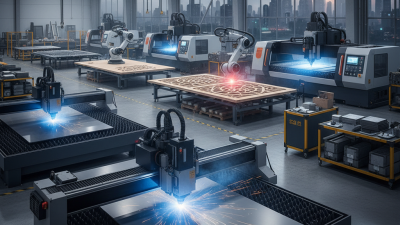
How to Choose the Best CNC Cutting Machine?
Choosing the best cnc cutting machine starts with the work it must do, not the biggest number on a specification sheet. Will it cut thin acrylic, thick steel, plywood, or a changing mix of materials? A machine that handles one job beautifully may struggle with another. Bed size matters when a full sheet needs support. So do cutting accuracy, speed, software compatibility, and the availability of service parts. Small details count. A rough edge on a sample piece can mean extra sanding, wasted time, and inconsistent finished products.
Manufacturing expert Dr. Thomas R. Kurfess has emphasized the importance of matching manufacturing technology to the task. A practical paraphrase of that guidance is: “Choose equipment around the process you need, not the promise on its brochure.” This is a paraphrase, not a verbatim quotation. The choice also depends on operator experience, workspace, ventilation, and the cost of tooling and maintenance. Ask suppliers for sample cuts using your actual material and thickness. Check the cut edge under good light. Review the machine’s warranty and training support, too. A polished demonstration is useful, but it cannot answer every question. Sometimes, the honest answer is that more testing is needed. This guide compares the factors that matter, so you can weigh performance, reliability, and long-term value before investing.
Define Your CNC Cutting Requirements and Production Goals
Before comparing machine specifications, define the work the machine must actually perform.
List each material, its thickness range, and the largest typical sheet or part. Note whether jobs involve straight cuts, tight curves, small holes, or detailed profiles. A 2 mm panel with fine openings may need different capabilities from a thick plate with long, simple cuts. Small details matter.
Set production goals using real orders, not an idealized busy day.
Estimate parts per shift, expected operating hours, and how often jobs change. Include loading, setup, cleaning, and inspection time; cutting speed alone does not describe output. Also specify the edge quality and dimensional tolerance your customers need. If those limits are unclear, mark them as estimates and confirm them before choosing equipment.
Test representative samples whenever possible.
Use the material and thickness you handle most, then inspect the edge, dimensions, and finish. A sample cut can reveal heat effects, burrs, or slow setup that a specification sheet may not show. Keep notes, even if the first test is imperfect. It may expose assumptions worth revisiting. Define your minimum acceptable output, space, power, and operator skill level, too. These practical limits help narrow the choices to machines suited to your production goals, rather than simply the fastest or most powerful option.
Compare CNC Cutting Technologies for Your Materials
Choosing a CNC cutting machine starts with the material, not the machine’s advertised speed.
Laser cutting suits thin sheet metal and many plastics, producing narrow cuts and fine detail. Heat can discolor edges or affect sensitive materials.
Plasma handles conductive metals at greater thicknesses, though its cut may need more cleanup.
Waterjet cutting avoids heat, making it useful for thick metal, stone, and heat-sensitive composites. It can be slower and uses abrasive material.
Tips: Ask for a test cut using your actual material and thickness. Inspect the edge, kerf width, and any heat marks. Check whether the sample needs sanding or deburring.
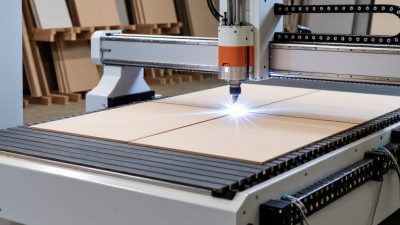
For wood and some plastics, a CNC router offers flexibility with larger panels and shaped parts. A drag knife may work better for thin, flexible sheet goods.
Compare the tolerances you truly need with the machine’s repeatable accuracy; tighter is not always worth the added cost. In practice, small changes in material grade can alter the finish more than expected.
I would not choose from a specification sheet alone. Consider available floor space, tool changes, dust or fume extraction, and operator training, too. The best fit is the technology that cuts your regular materials reliably, with acceptable finishing time and waste.
Evaluate Machine Capacity, Accuracy, and Key Specifications
Choosing a CNC cutting machine starts with the material and largest workpiece you expect to process. Check the usable table area, not just the machine’s outside dimensions. A 1,300-by-2,500-millimeter sheet needs room for clamps and tool movement. Leave some margin. Consider thickness and density: cutting 12-millimeter plywood differs from cutting 6-millimeter aluminum, even when both fit the table. Match spindle power, cutting speed, and axis travel to your actual workload rather than the largest numbers on a specification sheet.
Accuracy deserves equal attention. A stated positioning tolerance does not guarantee every finished part will meet that figure. Ask how repeatability is measured, and check whether the machine compensates for backlash or temperature changes. For cabinet panels, a small error may be manageable; for fitted components, it can spoil the assembly. Request a sample cut using your material, then measure several points with suitable tools. One measurement is not enough.
Review the controller, tool-changing options, dust collection, and available service support. These affect daily production, not just the first setup. It is easy to overvalue speed. A fast machine can still lose time through frequent tool changes or difficult calibration. Compare specifications against a realistic job list, including setup time and occasional maintenance. Some details are easy to miss. Ask what accuracy the machine maintains after repeated cuts, not only during a factory test.
Check Software Compatibility, Safety Features, and Support
When comparing CNC cutting machines, test the control software with files your team already uses.
Check supported formats, nesting tools, post-processors, and operating-system requirements. A sample file should open without missing fonts, shifted dimensions, or manual repair. Small errors matter. Ask whether updates preserve older workflows, and confirm who can help when an import fails. A polished demonstration may hide awkward daily steps, so request a supervised trial with a representative job.
Safety deserves the same close check. Look for accessible emergency stops, guarded moving parts, clear interlocks, and dust or fume extraction suited to your material. Watch an operator load stock and clear a routine jam; safe procedures should feel practical, not merely written. Confirm training covers shutdowns, maintenance, and restart checks. Support matters after installation, too. Ask about response hours, spare-part availability, remote diagnostics, and service costs in writing. Vague promises are hard to use.
Tips:
Bring a real cutting file to the demonstration. Ask the supplier to show a safe stop, restart, and common fault response. Record anything confusing; hesitation may reveal a training gap. I could still miss details during a rushed visit, so review your notes with the operators before deciding.
Compare Total Ownership Costs and Future Upgrade Options
A CNC cutting machine’s purchase price is only the opening cost. Compare installation, tooling, fixtures, software, training, energy, maintenance, and expected downtime over its working life. Ask for service intervals and replacement-part prices, then estimate the cost per usable production hour. Include scrap and setup time; a fast machine can still lose money between jobs. Small costs accumulate.
The U.S. Department of Energy’s 2014 motor-systems sourcebook estimates that motor-driven systems account for 54% of electricity use in U.S. manufacturing. That figure is not CNC-specific, so measure the machine’s actual power draw during cutting, standby, and idle periods. Deloitte and MAPI’s 2024 Smart Manufacturing Survey found that 86% of surveyed manufacturers viewed smart-manufacturing solutions as future competitiveness drivers. Treat this as a signal, not a guarantee of return. Check whether the machine supports practical upgrades, such as additional axes, a larger tool magazine, automation interfaces, or newer control software. Get upgrade costs and installation downtime in writing. A promised retrofit may look simple on paper. It may not be simple on your shop floor.
How to Choose the Best CNC Cutting Machine?
Compare estimated five-year ownership costs and budget for future upgrades.
Illustrative planning estimates in USD thousands for small-to-mid-size production systems; actual costs vary with machine size, workload, region, and configuration. The five-year totals include purchase, operating consumables and energy, maintenance, and an upgrade allowance; they exclude labor, facility costs, financing, and resale value. Compare upgrade compatibility—such as controls, automation, cutting heads, and auxiliary systems—alongside upfront price.