Skip to content

What Is a CNC Machine Tool and How Does It Work?

A CNC machine tool is a programmable manufacturing system that removes material with controlled accuracy. The abbreviation means computer numerical control. In a modern workshop, the process often begins with a CAD model, continues through CAM software, and ends with coded instructions called G-code. The controller reads those instructions, then coordinates motors, drives, the spindle, and cutting tools.

John T. Parsons, widely recognized as a pioneer of numerical control, described the central challenge this way: “The problem was to find a way to control the machine tool so that it could produce complex contours automatically.” His insight changed how manufacturers approached aircraft components and other precision parts. Today, CNC machine tools can mill, turn, drill, grind, and perform several operations with limited manual intervention.

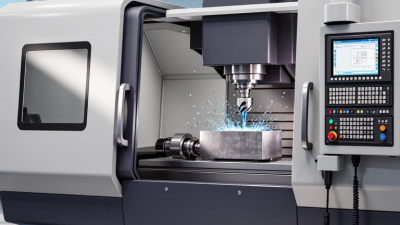
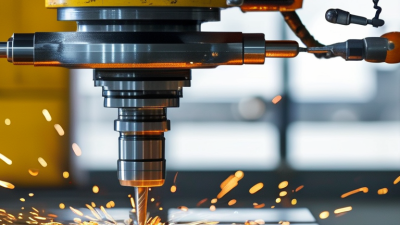
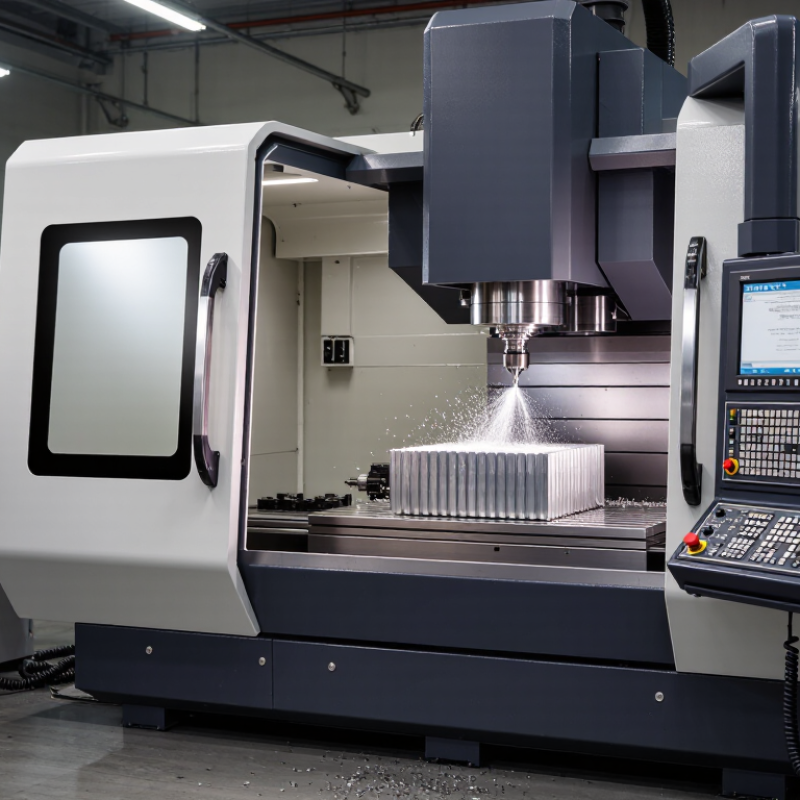
Picture a machining center cutting an aluminum block. The spindle accelerates, an end mill follows programmed X, Y, and Z movements, and coolant carries chips away from the workpiece. Encoders monitor movement, while the controller corrects position within the machine’s stated limits. That sounds perfectly automatic. It is not.

Tool wear, vibration, incorrect offsets, poor fixturing, and unsuitable cutting parameters can still ruin a part. Small errors matter. A skilled operator checks the setup, verifies the program, measures the first component, and listens for abnormal cutting sounds. This human judgment remains essential. Understanding how CNC machine tools work therefore requires more than memorizing software steps. It requires connecting digital instructions with mechanical movement, material behavior, measurement, and safe workshop practice. Even this explanation has limits, because each machine’s structure, control system, and application can change the result.
What Is a CNC Machine Tool and How Does It Work?

CNC Machine Tools: Definition, Purpose, and Main Components

What Is a CNC Machine Tool and How Does It Work?

A CNC machine tool is a computer-controlled system that cuts, drills, mills, or shapes material with programmed movements. CNC means computer numerical control. Unlike manual equipment, it follows coded instructions with repeatable accuracy. Its purpose is to produce consistent parts, reduce setup errors, and handle detailed geometries. Common materials include metal, plastic, wood, and composite sheets.

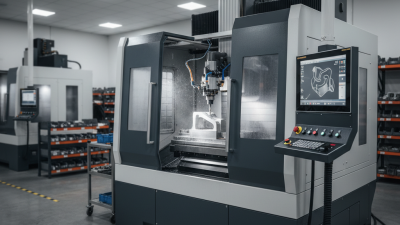
A CNC system usually includes a machine frame, spindle, cutting tool, workholding device, motors, control unit, and software. The operator loads a digital program containing tool paths, speeds, feeds, and cutting depths. The control unit sends commands to each axis motor. These motors move the tool or workpiece along precise directions. Sensors may monitor position and confirm movement. The spindle then rotates the cutter while coolant or air can control heat and chips. Small programming mistakes still matter. One incorrect coordinate may damage a tool or spoil an entire batch.

Tips: Check the workholding before cutting. A loose part can shift suddenly. Confirm the tool length and material dimensions. Run a simulated path when possible. Start with conservative feed settings, then adjust them after observing chips, vibration, and surface finish. Keep the cutting area clean, because accumulated chips can affect accuracy. Operators should also inspect finished parts with suitable measuring tools, not rely only on the machine display.

How CNC Machines Read Designs and Convert Them into Instructions

A CNC machine does not “understand” a drawing like a human machinist. It follows a carefully translated instruction set. A CAD model defines the part’s shape, while CAM software creates toolpaths around that geometry. The software then calculates cutting direction, depth, feed rate, spindle speed, and tool changes. A postprocessor converts these decisions into controller-specific G-code.

Every line matters. G01 may command a straight feed move, while G02 or G03 can guide a circular cut. Coordinates tell the machine where to move. Offsets adjust for tool length, diameter, and workpiece position. A technician checks the zero point, verifies the stock dimensions, and simulates the program before cutting. The screen may show a perfect path. Reality can still disagree.

This translation process supports the wider shift toward connected manufacturing. The International Federation of Robotics reported 541,302 industrial robot installations worldwide in 2023, showing stronger demand for programmable production systems. Deloitte’s 2024 Smart Manufacturing and Operations Survey found that 92% of surveyed leaders viewed smart manufacturing as a major competitiveness driver. Those figures do not guarantee accurate machining. Poor geometry, wrong offsets, or an unsuitable postprocessor can ruin a part quickly. Sometimes, the code looks correct but produces a weak surface finish. That uncomfortable gap requires measurement, operator judgment, and revision.

What Is a CNC Machine Tool and How Does It Work? — How CNC Machines Read Designs and Convert Them into Instructions

Process Stage Key Data or Component What It Contains How It Is Used by the CNC System Typical Output or Result
1. Part Design CAD model Geometric information such as lines, arcs, surfaces, holes, pockets, and overall dimensions. Defines the intended shape and size of the part before manufacturing begins. A digital 2D drawing or 3D solid model.
2. Manufacturing Planning CAM setup Stock size, workholding method, material, machine limits, tools, and machining operations. Provides the manufacturing conditions needed to turn the design into practical toolpaths. A planned sequence of cutting operations.
3. Coordinate Definition Work coordinate system Origin location and positive directions for the X, Y, and Z axes. Allows the machine to relate programmed coordinates to the actual workpiece position. A defined machining origin and axis reference.
4. Tool Selection Cutting-tool data Tool type, diameter, length, number of flutes, cutting material, and tool offset values. Helps calculate the correct toolpath and compensate for the physical size and position of the tool. A tool list with geometry and offset information.
5. Toolpath Generation Machining strategy Facing, roughing, contouring, pocketing, drilling, finishing, or thread-cutting movements. Determines how the cutting tool removes material while balancing accuracy, speed, and tool life. A sequence of programmed tool movements.
6. Speed and Feed Calculation Cutting parameters Spindle speed, feed rate, depth of cut, width of cut, and peck-drilling distance. Controls the rate at which the tool rotates, advances, and removes material. Numerical values assigned to each machining operation.
7. Program Conversion Machine instructions Motion commands, spindle commands, coolant commands, tool changes, and auxiliary functions. Converts manufacturing data into a language that the machine control can interpret. A machine-readable numerical-control program.
8. Program Verification Simulation and checking Tool movement, material removal, clearance, collision risk, travel limits, and machining order. Identifies programming errors before the physical machine cuts the workpiece. A verified or corrected machining program.
9. Program Transfer Control input The completed program transferred through a network, portable storage device, or direct connection. Loads the instructions into the machine control for execution. A program available in the machine’s memory.
10. Motion Interpretation Machine controller Position commands, interpolation data, axis limits, acceleration settings, and feedback signals. Calculates coordinated axis movement and sends electrical commands to the drive system. Controlled movement along one or more machine axes.
11. Cutting Operation Machine axes and spindle Linear axis movement, rotary spindle motion, tool engagement, and coolant delivery. Executes the programmed toolpath and removes material from the workpiece. A machined feature or completed component.
12. Position Feedback Measurement feedback Actual axis position, movement direction, speed, and deviation from the commanded position. Enables the control system to correct motion and maintain positioning accuracy. More consistent and accurate axis positioning.
13. Quality Inspection Dimensional verification Measured lengths, diameters, depths, angles, surface condition, and geometric tolerances. Confirms that the finished part matches the design requirements. An accepted part, adjustment request, or rework decision.

Note: Exact accuracy, speed, feed rate, and tolerance depend on the machine configuration, workpiece material, tooling, cutting strategy, and inspection method.

The Step-by-Step CNC Machining Process

A CNC machine tool removes material through computer-controlled movement. The operator prepares a digital drawing, cutting tools, and suitable workholding. The machine then follows programmed coordinates with controlled speed and feed. Unlike manual machining, it can repeat complex movements with consistent accuracy.

The CNC machining process begins with reviewing the part design. The programmer chooses cutting tools, workholding methods, and machining operations. The design becomes machine code through manufacturing software. Before cutting, the operator loads the material and measures each tool. Small errors matter here. A tool offset that is slightly wrong can damage the part.

The operator sets the work coordinate system and runs a simulation. This checks tool paths, clearance, and cutting direction. The machine may then perform facing, drilling, pocketing, and contour cutting. Coolant carries away heat and chips during the operation. After machining, the operator removes burrs and checks dimensions with calipers or a micrometer. A first-piece inspection is especially useful for finding programming or setup problems. Still, simulation cannot replace judgment. Vibration, tool wear, and material behavior may change during cutting. Experienced machinists watch the sound, surface finish, and chip shape. These details often reveal problems before a measurement does.

Common Types of CNC Machine Tools and Their Applications

A CNC machine tool removes or shapes material through programmed movements. The controller reads digital coordinates and guides cutting tools along precise paths. Operators still select tools, set work offsets, and inspect the finished part. That human step matters. No machine is automatically accurate.

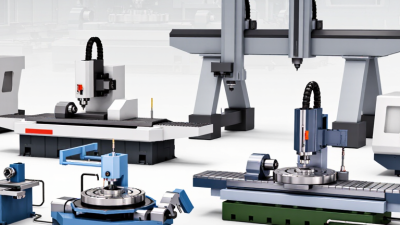
CNC milling machines move rotating cutters across blocks or plates. They suit aluminum brackets, steel housings, slots, pockets, and complex contours. CNC turning machines rotate the workpiece against a fixed cutting tool. They produce shafts, bushings, threads, and other round components efficiently. Multi-axis machines reach angled surfaces without repeated clamping. This can reduce setup errors, although programming becomes harder.

CNC routers handle wood, plastic, foam, and thin composite sheets. They are common in cabinet production, signage, and prototype work. CNC grinders remove tiny amounts of material from hardened parts. They support bearing surfaces and precision finishing. Electrical discharge machines shape conductive materials with controlled sparks. Manufacturers use them for narrow slots, intricate cavities, and hardened dies.

Each machine type has limits. A router may struggle with heavy steel cuts, while a grinder works slowly on large stock. In practice, surface finish depends on tooling, coolant, fixturing, and machine calibration. A drawing can look complete, yet an overlooked tolerance may cause assembly problems. Careful measurement remains essential.

Common Types of CNC Machine Tools and Their Typical Axis Configurations

CNC machine tools remove material according to programmed coordinates. The number of axes indicates how many directions the cutting tool or workpiece can move and rotate. Three-axis machines are common for general milling and routing, while four- and five-axis systems support more complex parts and fewer setups.

The values show representative configurations commonly used in industry; actual machine specifications vary by design and application.

Key Benefits, Limitations, and Safety Considerations

A CNC machine tool uses programmed instructions to control cutting, drilling, milling, or turning. A computer converts digital coordinates into controlled movements along several axes. The spindle rotates a tool, while clamps hold the workpiece firmly. Coolant may reduce heat and carry chips away. In practice, accuracy depends on more than software. Tool wear, poor fixturing, vibration, and incorrect offsets can still spoil a precise part. That is easy to underestimate.

Its main benefits are repeatability, complex shapes, faster production, and reduced manual handling. Once a proven program is set, many parts can follow the same path. However, CNC equipment needs skilled setup, maintenance, and inspection. Machines can be expensive, and programming errors may damage tools or materials. They also cannot judge every unexpected condition. A slightly loose fixture can create a dangerous failure, not merely a poor surface finish.

Tips: Verify the drawing, tool offsets, workholding, and simulation before cutting. Keep doors closed during operation. Never reach into a moving enclosure. Remove chips with a brush or approved tool, not bare hands. Wear eye protection and suitable footwear. Check emergency stops regularly. New operators should run a controlled first piece at reduced speed. Even experienced machinists should pause when sounds, chips, or measurements seem unusual. A rushed inspection is still a weak inspection.

Back To Top